Data that stays inside
Files, mail, conversations and AI work all live on machines you own. No accounts, no telemetry, nothing reporting back.
A complete desktop and a family of applications designed together, deployed on your own infrastructure. Files, mail and AI stay on machines you own.
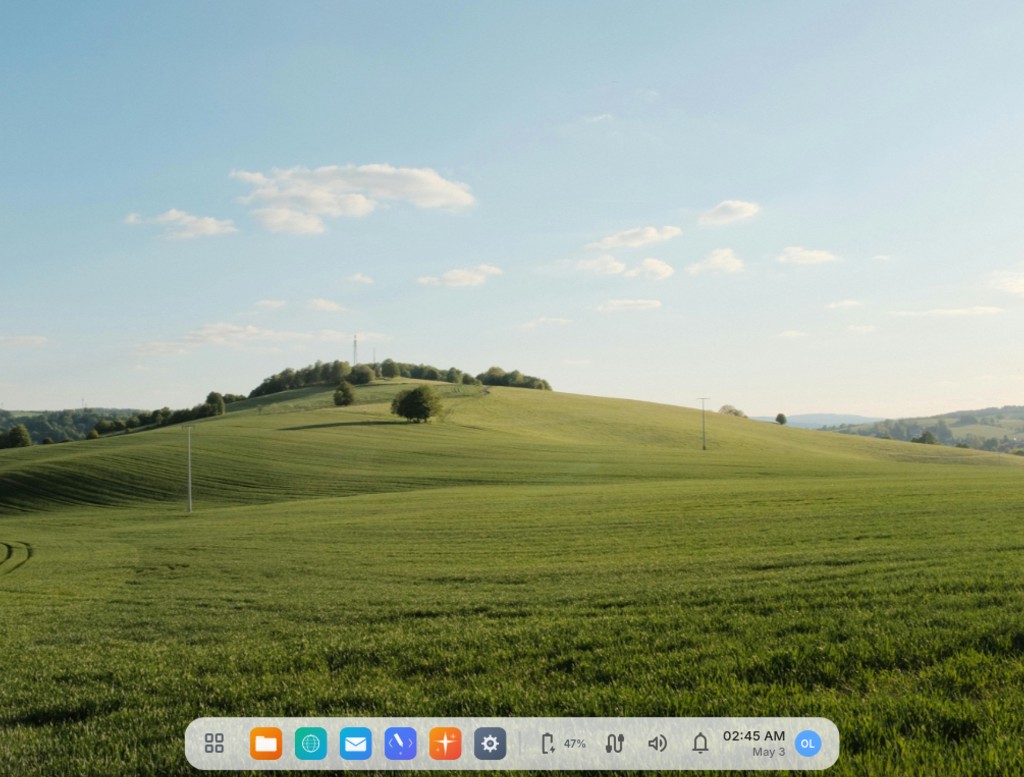
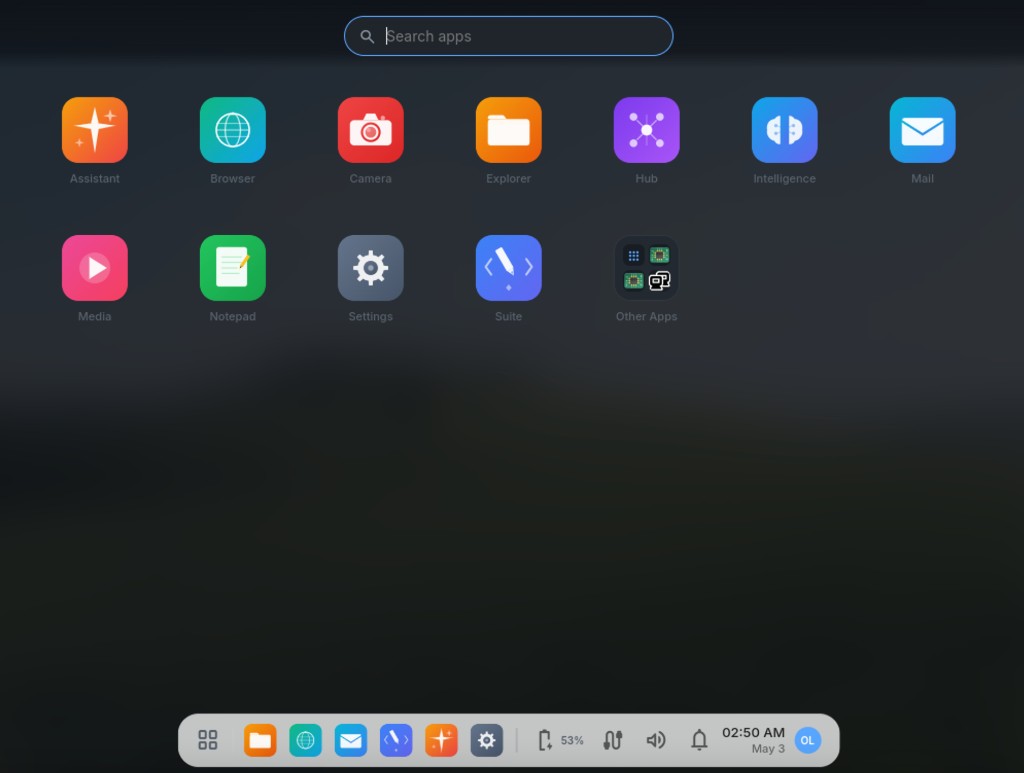
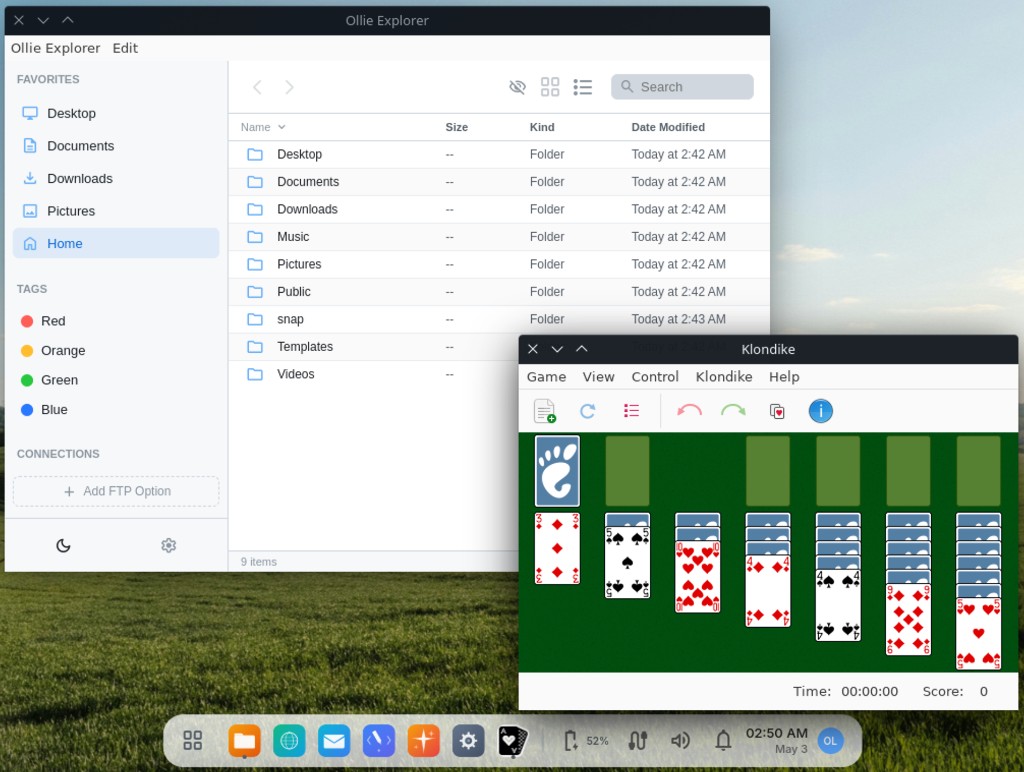
A complete desktop environment, its applications and its AI — designed together, running on hardware you control.
Files, mail, conversations and AI work all live on machines you own. No accounts, no telemetry, nothing reporting back.
The desktop, the applications and the AI are designed, versioned and supported together — by the people who wrote them.
Every application runs fully offline, the AI included. Built for air-gapped rooms, remote sites and links you cannot rely on.
Debian and Ubuntu, unmodified where it matters. The packages, tooling and administration knowledge you already have still apply.
Models run on your own hardware. No prompt, document or conversation is sent to an outside provider unless you configure one.
Modest hardware requirements, so putting Ollie in front of a team does not have to begin with a fleet refresh.
One catalogue, one design language, one release cadence — and every application keeps its files in a clearly named folder on the machine, so the work is easy to find, audit and move.

A creative workstation — code, rich text, 3D, video, image, PDF, and audio editors in one place. Available standalone in editions from Write to Studio, with Studio as the full stack.

Run AI models right on your computer. Download a model, run it on your processor or graphics card, and chat with it offline.

Email, calendar, and contacts in one place, using the standard services your provider already supports. Your messages stay on your disk — and drafts you write at thirty thousand feet send the moment you land.

Surfing without the surveillance. Tabs, bookmarks, history — none of it leaves your machine.

An agent that works your computer and orchestrates the other Ollie apps. Plug in the provider you trust — local Intelligence, Ollama, Anthropic, OpenAI or Gemini — and extend it with your own tools, skills and MCP servers.

A sovereign 3D world and game engine. Walk, fly, and build — right-click anything to recode it live. Multiplayer and seed-shareable, and inhabited by people and AI agents through one interface.

Offline maps and turn-by-turn navigation. Download the areas you travel — tiles and roads — then search, route, and navigate them with no connection at all.

Offline nautical charts and passage navigation. Download your cruising area — charts, seamarks and tide stations — then navigate it, watch your anchor and read the tide with no signal at all.

Sectional charts, flight planning and a real nav log. Download your flying area — airports, runways, frequencies, airspace and magnetic variation — then fly it with wind-corrected headings, fuel checks and airspace alerts, with no signal at all.

Markets in one place — US and Brazilian equities, ETFs, crypto, foreign exchange, commodities and rates — charted together with indicators you write yourself. Rank and screen thousands of instruments, then test a strategy against real history and see how it did against simply buying and holding.

Ecosystem dashboard. See every app's status, version, and license at a glance.

File manager with previews, fast search, and a clear mental model. No tags you didn't ask for.

Music, video, photos — handles common formats. No accounts, no subscriptions.

A curated software store on top of standard Ubuntu — install Chrome, LibreOffice, GIMP, VLC, and more in one click. It's regular Linux underneath.

Simple note-taking with auto-save. Files are real files — open them in vim if you want.

Webcam capture for photos and short clips. Saves directly to your home directory.

Appearance, sound, network, users, display, about. Direct, no nested submenus seven layers deep.
The shell — dock, launchpad, system tray. The window chrome you see on every app comes from here.
Ollie Suite and Ollie Assistant also run standalone on Mac, Windows and Linux. Smaller applications ship Linux builds — the same family of products, still private by default.
Files, mail, conversations and AI work all live on machines you own. Nothing runs in the background reporting on your people, and nothing leaves the network unless you decide it should.
Underneath the surface is standard Debian and Ubuntu — the same open foundation trusted to run servers, laboratories and critical systems the world over. Stable, familiar, and yours to extend.
Every Ollie application keeps its data on disk, in the open — nothing sealed behind a proprietary format or a vendor's cloud.
Ollie Intelligence runs models directly on the machine — the model on your disk, the conversation on your disk. Ollie Assistant turns that model into an agent: it reads files, runs commands, drives a browser and operates every other Ollie application. Together they are a complete AI stack with no third party in it.
Assistant does the work — editing files, running commands, filling in web forms, drafting mail — and reports back when it's done.
Run it entirely locally through Intelligence or Ollama, or bring your own key for Anthropic, OpenAI or Gemini. Switching models changes nothing else.
Once a model is on the machine, the network is optional. Use it in an air-gapped room, on a vessel at sea, or on a site with no link at all.
Tools, skills and personas are files in a folder — add your own, or connect any MCP server, with no rebuild and no plugin store.
Suite, Assistant and Mail all reach the same model on your machine. One model, shared by everything — not a separate one for each.
Ollie is real Linux underneath, with a one-click software store. LibreOffice, Chrome, GIMP, Inkscape, Blender, OBS — thousands of packages, including much of what your people already run on Windows.


Thousands more through the built-in store, and much Windows software runs through the bundled compatibility layer. A full-screen console mode also ships with the system, for the machines that want one.
Ollie is designed to stay fast and stay out of the way, so machines already in service keep earning their place. A deployment does not have to begin with a hardware refresh.
Check hardware compatibility
The agent at the centre of the ecosystem installs on macOS, Windows and Linux as a normal desktop app — reading files, running commands, driving a browser, and working against a local model or your own cloud key. It is how most companies meet Ollie for the first time.
About Ollie AssistantOllie Suite is the creative workstation inside Ollie System. The same app family is available standalone in editions from Write up to Studio — Studio is the full stack — for macOS, Windows, and other Linux distros.
About Ollie SuiteWe deploy Ollie on your own infrastructure, fit it to how your people actually work, and stay with it. One vendor for the desktop, the applications and the AI — and nothing has to leave your network.
Talk to usFree to download and evaluate, on as many machines as you like.
Yes. Download the ISO, boot it from USB or install it on a spare machine, and put it in front of the people who would use it. No licence, no conversation, no obligation.
Ollie is standard Linux underneath, with a one-click software store for LibreOffice, Chrome, VLC and thousands of other packages. Much Windows software runs through the bundled compatibility layer.
Downloading and evaluating it is free — take the ISO and run it on your own hardware for as long as you like. When you want it in your organization, we arrange that directly with you: we deploy it, fit it to your work, and support it.
On the machine. Every application stores its data in a named folder under the user's home directory, so it can be browsed, audited and backed up with whatever you already use. There is no cloud silo to request an export from.
Your own people, with the Linux tooling they already know — it is Debian and Ubuntu underneath, so imaging, packaging and policy work the usual way. We set up the first deployment alongside them.
Ollie tracks a long-term Linux base and ships regular updates throughout each version year, so your systems stay secure for years.
Costa & Associates LLC, a software company registered in New Mexico, United States. The people who wrote the system are the people who deploy and support it — there is no tier one to get past.
Yes. Activation needs a brief connection the first time; after that everything works with no network at all, the AI included. Fully disconnected sites are handled as part of the deployment.
Download the ISO, write it to a USB drive, boot from it. Run the whole system on your own hardware, for as long as you want, before you talk to anyone.
Download Ollie SystemEvaluation is free and unrestricted. Deployments are arranged directly with us.